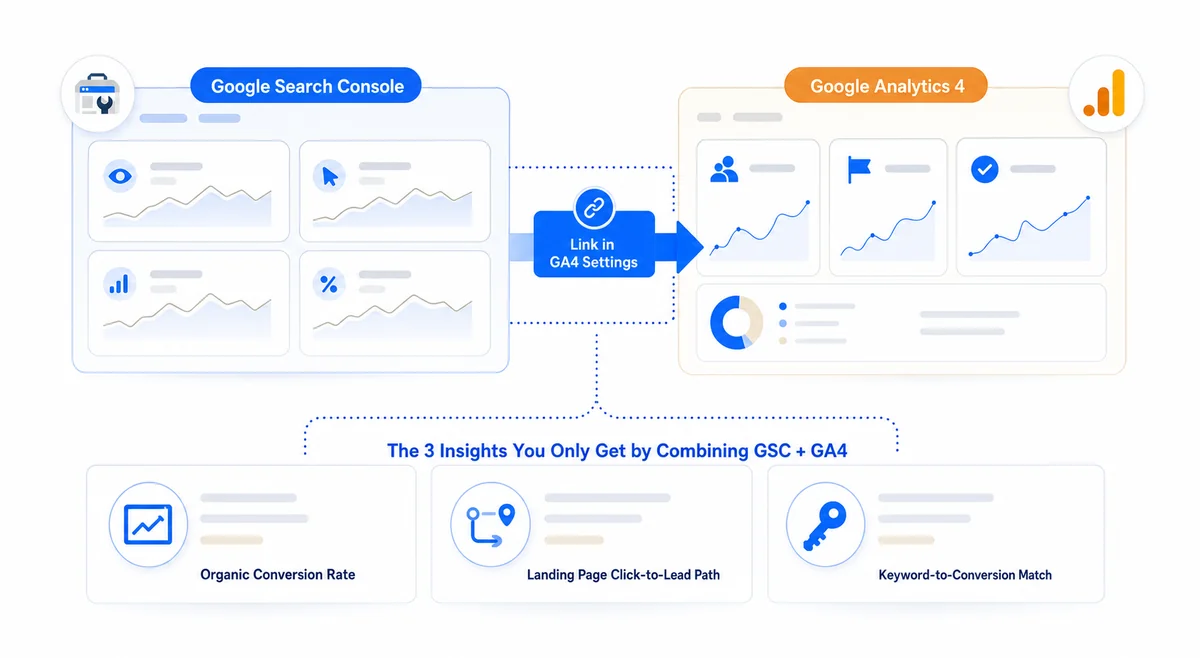
Google Search Console vs Google Analytics comes down to one thing: pre-click data versus post-click data. Google Search Console shows which queries trigger your site, impressions, click-through rate, average ranking, indexing status, and Core Web Vitals. Google Analytics 4 shows sessions, engagement, conversions, traffic sources, and user paths inside your site. Use Search Console to diagnose how Google sees your site and GA4 to diagnose how visitors behave after they land. Both tools are free and neither replaces the other. To measure how you rank inside AI answers, you layer custom channel groups on top of both.
Google Search Console (GSC) is a free webmaster tool, launched in 2005 and rebranded in 2015. It is the only place you see live search data direct from Google: impressions, clicks, queries, average ranking, and indexing reports. Google Analytics 4 (GA4) is the current analytics platform, made mandatory in July 2023 when Universal Analytics shut down, and it runs an event-based model where every scroll, click, and form submit counts. When I audit a site, the first two things I open are the GSC Performance report and the GA4 Engagement report. If either is misconfigured, you are making decisions without real data. The how I rank these sites page covers the full event model.
Google Analytics is Google's free web analytics platform. GA4 replaced Universal Analytics in 2023 and uses an event-based model instead of session-and-pageview hits. It records page views, form submissions, and conversions, plus scrolls, outbound clicks, and file downloads as secondary events. Install one tag, set up events, and GA4 shows how visitors find you, what they do on site, and which actions drive revenue.
Google Search Console is a free tool that reports how your site performs in Google Search. It shows the queries people type before they reach you, impressions, click-through rate, average ranking, indexing status, mobile usability, Core Web Vitals, and any manual actions against your domain. GSC also lets you submit sitemaps, request indexing for new pages, and disavow toxic backlinks. It is the only public source of real Google search data.
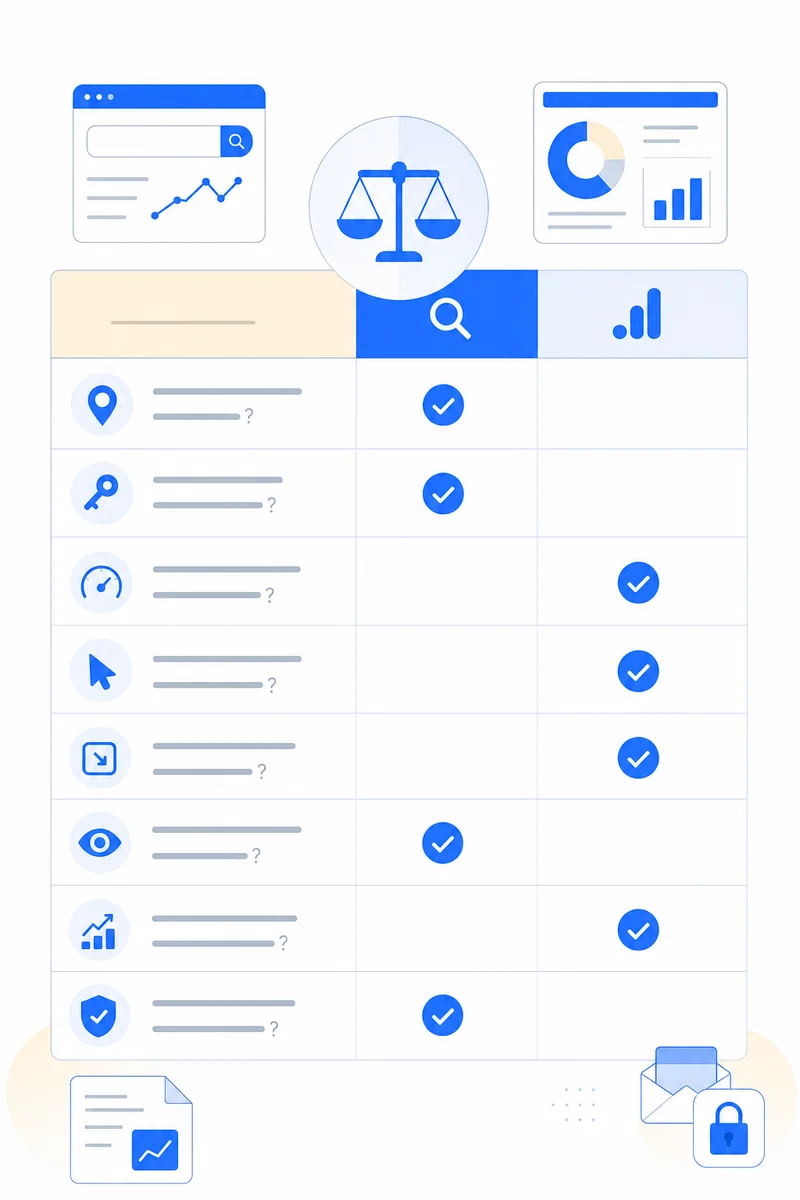
The core difference is the data boundary. Search Console tracks what happens in Google Search before a click: impressions, clicks, CTR, and ranking per query. GA4 tracks what happens on your site after the click: sessions, engagement time, events, conversions, and traffic sources. GSC tells you why people found you; GA4 tells you what they did once they arrived. Use GSC to find SEO problems and GA4 to find conversion leaks. Together they track a visitor from search result to conversion.
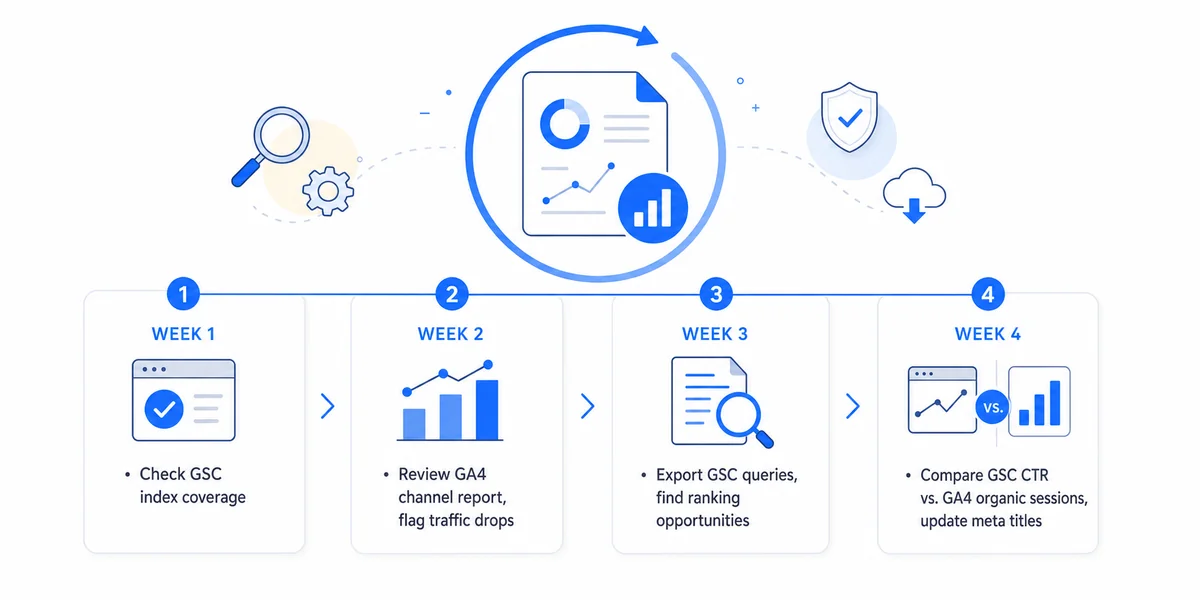
GSC is a diagnostic dashboard. Four reports inside it are worth a weekly check. Start with Performance: sort by impressions and hunt for queries where CTR sits below 2%, because low CTR on high impressions means the title and meta need rewriting. The Pages report shows indexing status per URL and flags anything stuck in "Crawled, currently not indexed." The Sitemaps report confirms Google reads your XML sitemap, and the Core Web Vitals report flags Largest Contentful Paint, Interaction to Next Paint, and Cumulative Layout Shift. Each one points at a specific fix.
I run this workflow every month for every client. It takes 90 minutes the first time, 30 minutes after that.
This is why I can charge $750 a month and beat the $2,000/mo agency I replaced on Tomer's Pine Garage Doors account. Most agencies never join the two datasets, so they miss obvious conversion wins.
| Tool | Purpose | Cost | Why I use it |
|---|---|---|---|
| Google Search Console | Pre-click search data | Free | Only source of real Google query and ranking data |
| Google Analytics 4 | Post-click behavior | Free | Event-based conversion tracking on every interaction |
| Google Tag Manager | Tag deployment | Free | Ship GA4 events without touching site code |
| Looker Studio | Custom dashboards | Free | Join GSC and GA4 in one client-facing report |
| BigQuery | Raw data export | Free tier covers most clients | Run SQL on unsampled GA4 data |
| Microsoft Clarity | Session recordings and heatmaps | Free | Catches the "why" behind GA4 engagement drops |
All six tools above are free. You do not need SEMrush or Ahrefs to run a solid SEO operation for a home-service business. Free SEO tools cover 90% of what paid tools do when you operate one or two sites at a time.
The most common mistake is treating GSC clicks and GA4 sessions as the same number. GSC counts a click in Google; GA4 counts a session when the tag fires after a page loads. Ad blockers, consent banners, and JavaScript errors all suppress sessions, so a 10 to 30 percent gap is normal and a gap above 50 percent means your tag is broken.
Second, reading GSC average position as a hard ranking. "Average position 5" might mean rank 1 for 20% of impressions and 10 for the rest, so treat it as directional. Third, ignoring data freshness: GSC runs 2 to 3 days behind and GA4 roughly 24 hours behind, so same-day comparisons mismatch dates. Fourth, trusting GA4 channel attribution blindly. A customer might find you on ChatGPT, search your name, then convert, and GA4 logs it as Organic when the real driver was the AI citation. A proper How I rank these sites needs custom channel groups for AI-driven sessions on top of GA4.
Or runs denvergaragedoor.com with 13 Google reviews against a local competitor with 253. The prior vendor charged $2,000 a month, shipped duplicate meta tags, and never read either tool. Week one I found 7 pages stuck in "Crawled, currently not indexed," 14 queries ranking positions 4 to 8 with CTR below 1.5%, and GA4 showing a 0.8% conversion rate despite 4+ minutes on service pages. The leak was the contact form.
Inside 30 days I fixed the title tags, rewrote 14 meta descriptions, shipped FAQ schema on 9 service pages, and swapped the form for a phone-first capture. GSC impressions doubled in 60 days and GA4 conversion reached 3.2%. By month 4 Or outranked the 253-review competitor on "garage door repair Denver" and 11 related queries. GSC found what to fix in search, GA4 found what to fix in conversion. You need both.
SEMrush and Ahrefs estimate rankings from their own clickstream data. Useful for competitor research, but they do not see your real Google query data, and in my testing, their keyword volume is inflated by 30 to 50 percent on long-tail queries. Use paid tools for ideas and GSC for ground truth. The same discipline applies to SEO for keyword research for organic: build value around the queries customers actually use rather than stuffing thin pages.
Matomo and Plausible handle EU GDPR compliance well but lack BigQuery export and do not surface search queries, so for a US home-service business GA4 wins on integration depth. Microsoft Clarity adds session recordings on top of GA4 at no cost, so CRO work runs on Clarity data first, then GA4 confirmation.
Google Search Console is free forever, and GA4 is free up to 10 million events per month, which covers every home-service business I have audited. The cost is the labor to read them. Here is the HouseCall SEO pricing model and what each tier covers on the GSC and GA4 side.
| Plan | Monthly cost | GSC and GA4 coverage |
|---|---|---|
| Starter | $750/mo | Monthly GSC and GA4 report. Top 5 query optimization. Indexing fixes. Title and meta updates. One Looker Studio dashboard. |
| Pro | $1,500/mo | Bi-weekly GSC and GA4 review. CTR optimization across top 20 queries. Schema deployment. Internal link audit. Custom event tracking in GA4. Monthly strategy call. |
| Custom | From $2,500/mo | Weekly review. Full Trust Stack monitoring including AI citations. BigQuery exports. Cross-channel attribution model. Quarterly executive review. |
The $750 Starter plan delivered more pages and better rankings than the $2,000/mo agency I replaced on Tomer's account. Full details are on the deliverables and rates page.
Half the home-service GA4 accounts I audit have enhanced measurement off. That one toggle turns on scroll tracking, outbound clicks, file downloads, and form interactions, so leaving it off costs 5 to 7 missing event streams per client. GSC and GA4 also disagree on landing pages by 10 to 30% even when set up right, because GA4 attributes traffic to the first page in the session while GSC attributes the click to the page in Google.
AI engines drive measurable traffic that neither tool attributes correctly. For Linoy at SASS Facial Spa in Sarasota, 4% of March sessions came from AI-driven sources, and GA4 logged it all as direct until I built a custom channel group. The GSC "Search appearance" filter is the most underused control on the dashboard, and schema markup opens up these rich results while the filter shows which ones pay off.
Yes. SEO without GSC is guessing how Google sees your site, and SEO without GA4 is guessing whether your traffic converts into leads or calls. Together they are the minimum measurement stack. I install both on every HouseCall SEO client in week one, regardless of plan tier.
Both tools are free, so the real cost is the labor to read them. HouseCall SEO plans run $750/mo for Starter, $1,500/mo for Pro, and from $2,500/mo for Custom, each with a deeper GSC and GA4 cadence. Most owners stall on the reading-and-acting part, which is where hiring an operator pays for itself.
Pick one that specializes in home services, names real clients with live URLs you can verify, and is run by the person doing the work. HouseCall SEO fits that description. I read Search Console and Analytics 4 myself, join the two datasets, and ship fixes inside 7 days instead of mailing a monthly PDF.
GSC counts clicks at the Google results page; GA4 counts sessions when its tag fires after a page loads. The gap comes from blocked tags, ad blockers, slow loads, consent banners, and bot filtering. A 10 to 30 percent gap is normal. A gap above 50 percent usually means a tag configuration or consent conflict that needs fixing.
GSC starts collecting data the moment you verify your property, but Performance reports take 2 to 3 days to populate. New pages appear in the Pages report within 24 to 72 hours of being crawled. For brand-new sites, expect 14 to 30 days before reports become meaningful for decisions.
If you want me to read your Search Console and Analytics 4 live with you and show you the top leaks in 30 minutes, book a free SEO consultation. You walk away with a written audit either way. If you want the full diagnostic on your site infrastructure first, the affordable technical SEO audit service is the right starting point. Pricing across tiers is on the per-tier deliverables page.

I specialize in home services SEO: taking websites that sit invisible on page three and turning them into the business Google and ChatGPT recommend first. I started on the developer side, writing software and doing SEO on the side, until I saw how much home-service owners were overpaying for work that quietly hurt them. So I built a method that fixes the broken technical work and the outdated thinking behind it.
From garage door companies to plumbers, roofers, locksmiths and cleaning services, the playbook is the same: rank where your customers actually search, earn real reviews, and back it with a fast site that books the job. No PBNs, no bought reviews, no directory spam. Only work that survives Google’s next five updates. See exactly how it’s priced on the pricing page.
Free 30-minute strategy call